

Search Types
Cloudreve provides three file search methods: Built-in Search, Full-text Search or AI Hybrid Search, and Quick Search. They differ in search scope, search targets, and configuration requirements, making them suitable for different use cases.
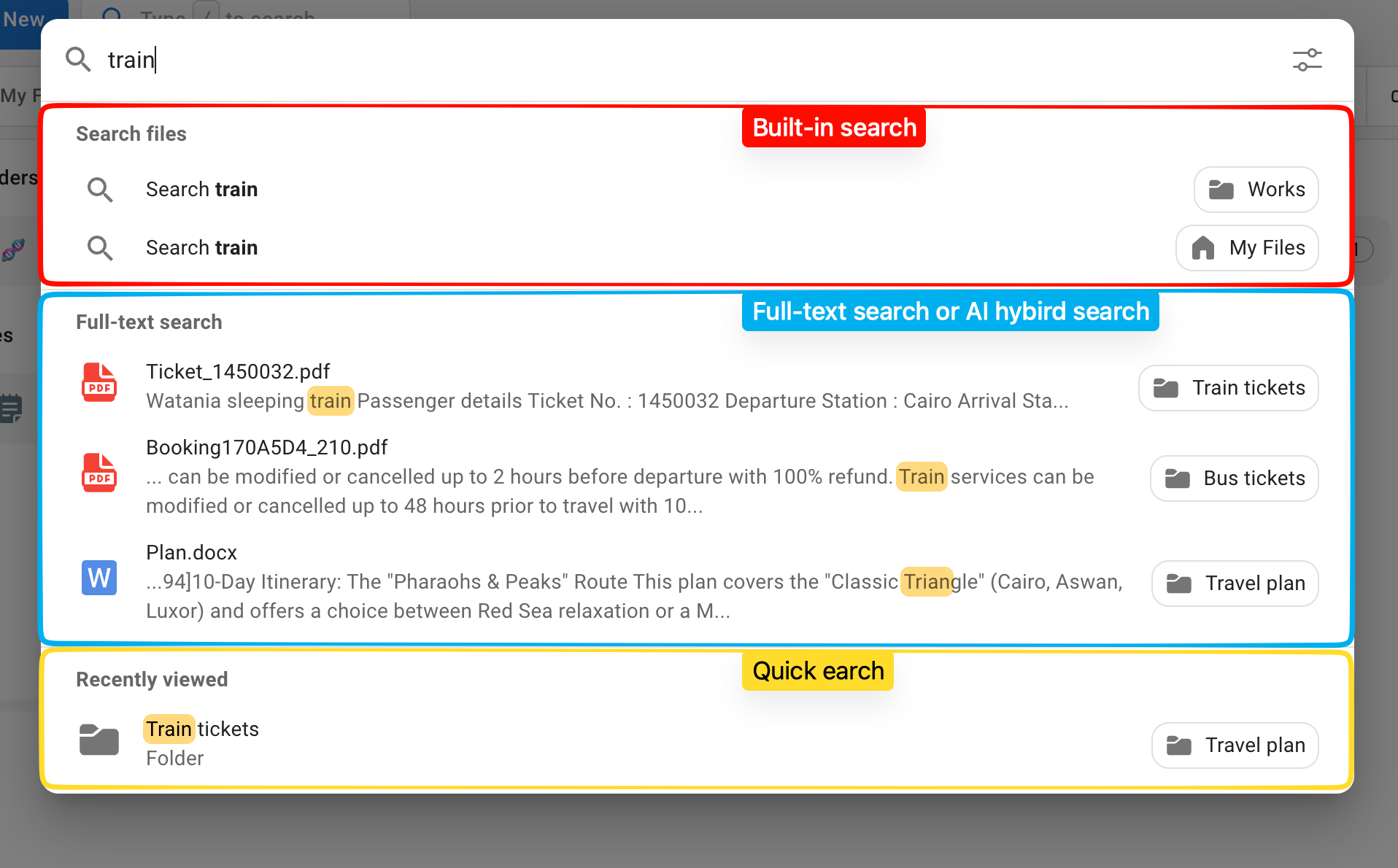
Comparison
| Feature | Built-in Search | Full-text / AI Hybrid Search | Quick Search |
|---|---|---|---|
| Search Target | File name, file attributes | File content | File name |
| Search Scope | My Files, subdirectories, shares | My Files only | Files loaded in the current session |
| Permission Filter | ✅ | - | - |
| Configuration | No extra configuration | Requires external indexing and content extraction services | No extra configuration |
| Server Dependent | ✅ | ✅ | ❌ |
Built-in Search
Built-in search is the default search method provided by Cloudreve and requires no extra configuration.
- Search Target: Supports searching by file name, or filtering by file attributes (such as type, size, etc.).
- Search Scope: Can search within the current user's "My Files", any subdirectory, and other users' shared directories.
- Permission Control: Search results are subject to file permission settings; users can only find files they have access to.
- Result Display: Search results are displayed directly in the file list.
Full-text Search or AI Hybrid Search
Full-text search and AI hybrid search allow users to search the actual content of files, rather than just file names.
- Search Target: Searches file content (e.g., text within documents).
- Search Scope: Limited to the current user's "My Files" directory.
- Prerequisites: Requires configuring third-party indexing and content extraction services to enable.
TIP
Full-text search is ideal for scenarios where you need to locate files based on their content, such as quickly finding files containing specific keywords among a large number of PDFs or documents.
Quick Search
Quick search uses file information cached in the current browser session to perform instant local searches on the client side, without sending requests to the server.
- Search Target: Only supports searching by file name.
- Search Scope: Limited to files that have been loaded in the current browser session (e.g., files in recently browsed directories).
- Use Case: Quickly locate recently browsed files, or quickly find files within the current directory.
WARNING
Quick search results depend on the file data cached in the current session. If the target file has not been loaded in the current session, it will not appear in the search results.